Your All-In-One Intranet For Employee Communication, Knowledge, and Learning

The modern AI intranet where teams connect to learning, knowledge, information, and each other.

Before MyHub
red-cross

Knowledge buried in inboxes

red-cross

Teams disconnected from the business

red-cross

No central place for learning resources

red-cross

Manual paper based processes

Intranet-Software-AI

After MyHub

green-tick

Find what you need instantly

green-tick

All-in-on learning & intranet

green-tick

Go paperless with easy digital forms

green-tick

Publish more, faster, with AI-powered tools

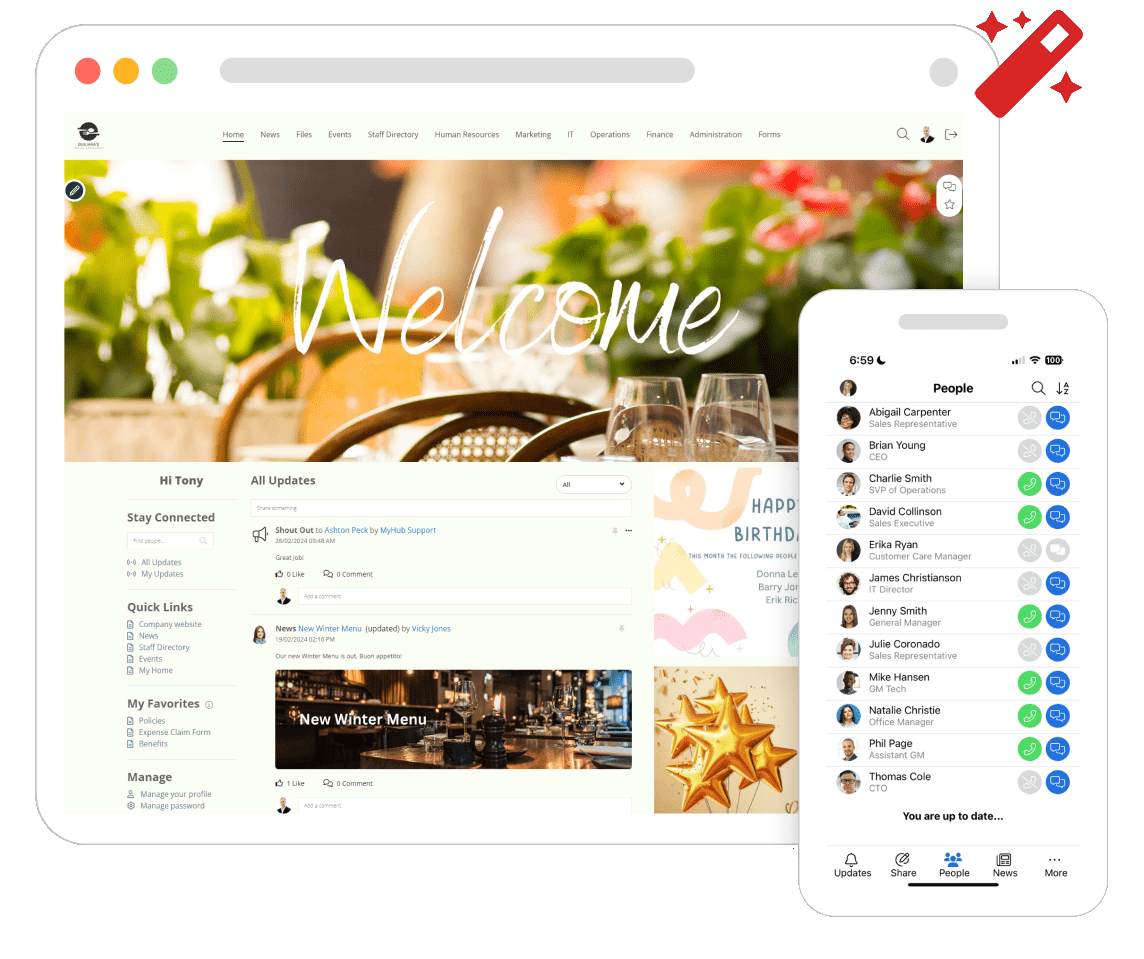
Give your employees access to everything they need

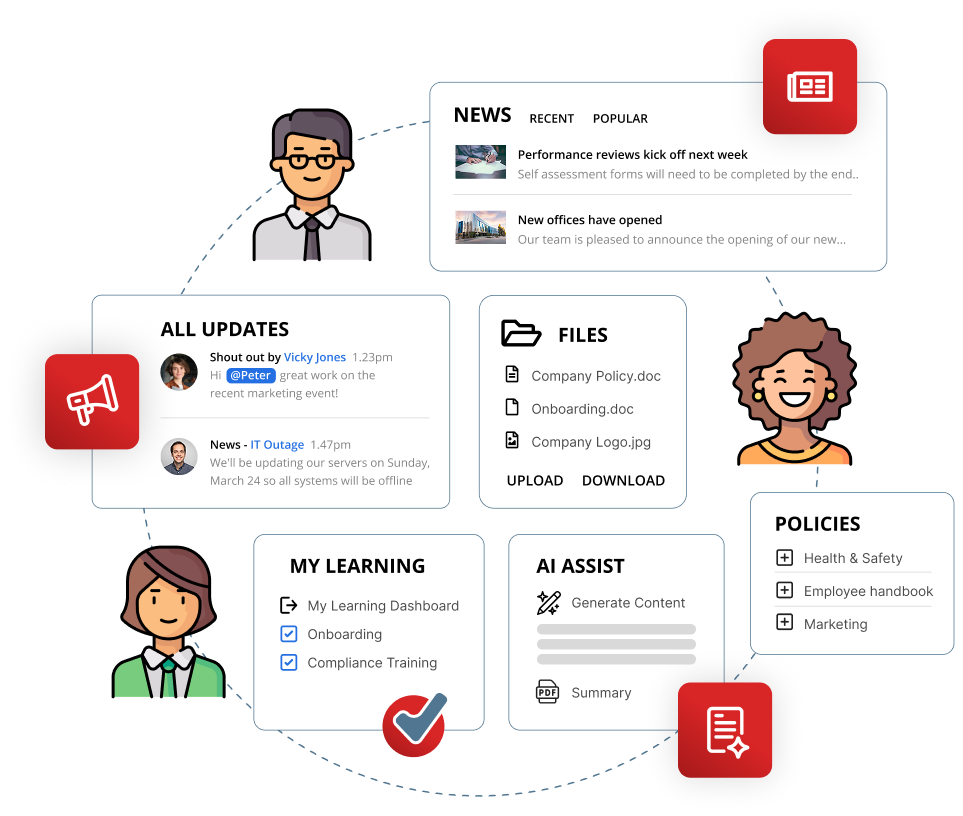
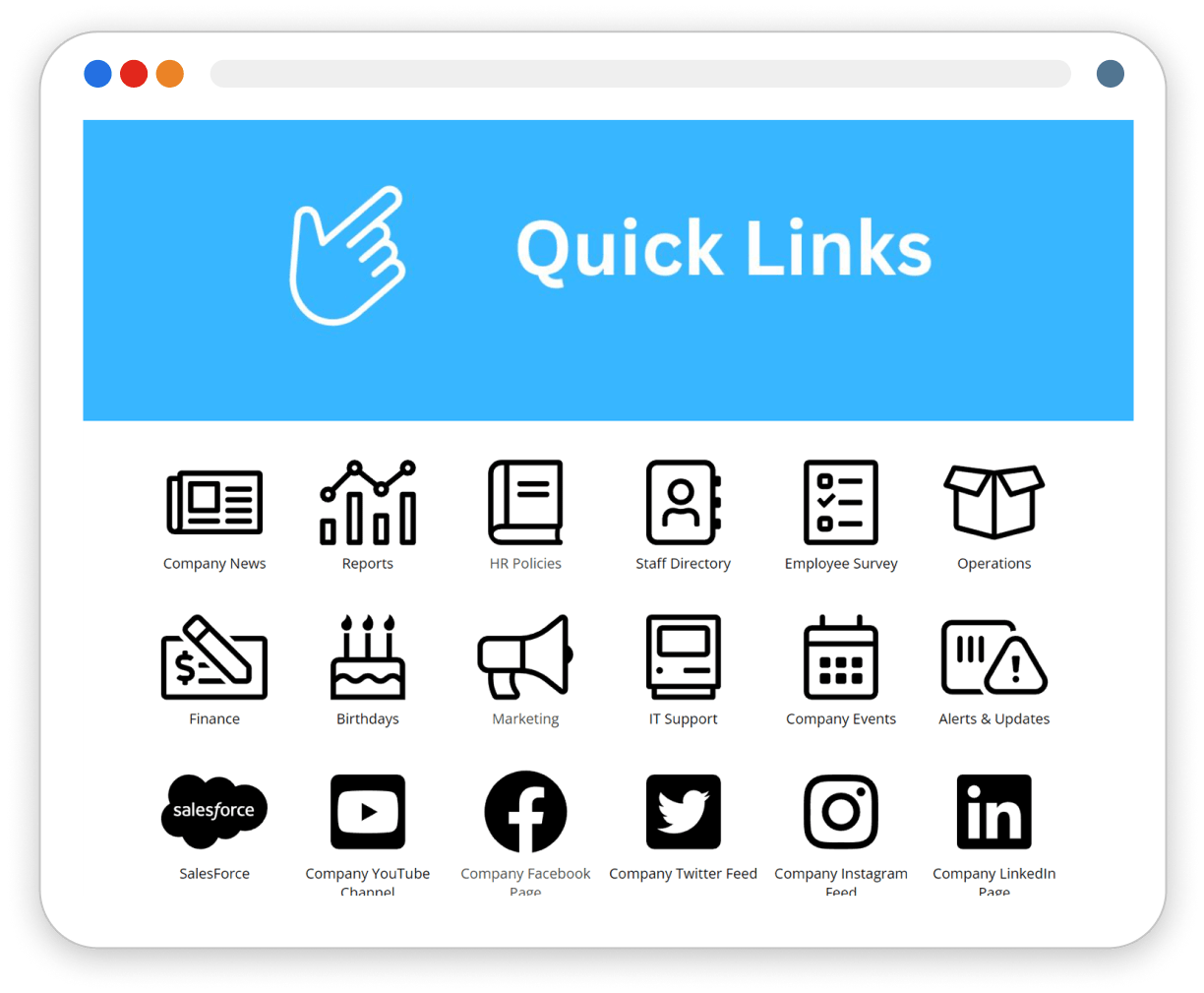
MyHub gives your team quick access to the tools and resources they use every day. With an intuitive layout and powerful search, it’s simple to connect with policies, documents, news, conversations, calendars, forms, staff directories, and more.
Intranet Software

Benefits at a glance

publish-plane

Publish information quickly and easily

It’s essential teams have the right information at the right time to do their jobs, but publishing this information takes time teams don’t have. That’s why we make publishing and managing information easy and quick.
Find Documents

Access everything in one place

It all starts with a simple, intuitive layout and great search. With MyHub, your team will quickly access the documents and information they need.
Check Icon Red

Train and grow your teams

Deliver training and development inside your intranet with MyHub’s AI-powered Learning Management System. Faster course creation, personalized learning paths, and built-in reporting make learning simple and effective.

Integrations

Transform your intranet with integration

Streamline your workflow and reduce administrative tasks with our integrations. Easily connect to your everyday apps and manage users effortlessly from your intranet. Explore now >
AI Content Icon

AI Assist

Create and publish content in minutes with AI-powered support. From policies and procedures to news articles, AI Assist helps admins draft, edit, and update information quickly, reducing time and keeping communication clear and current.
Updates

Keep everyone informed and engaged

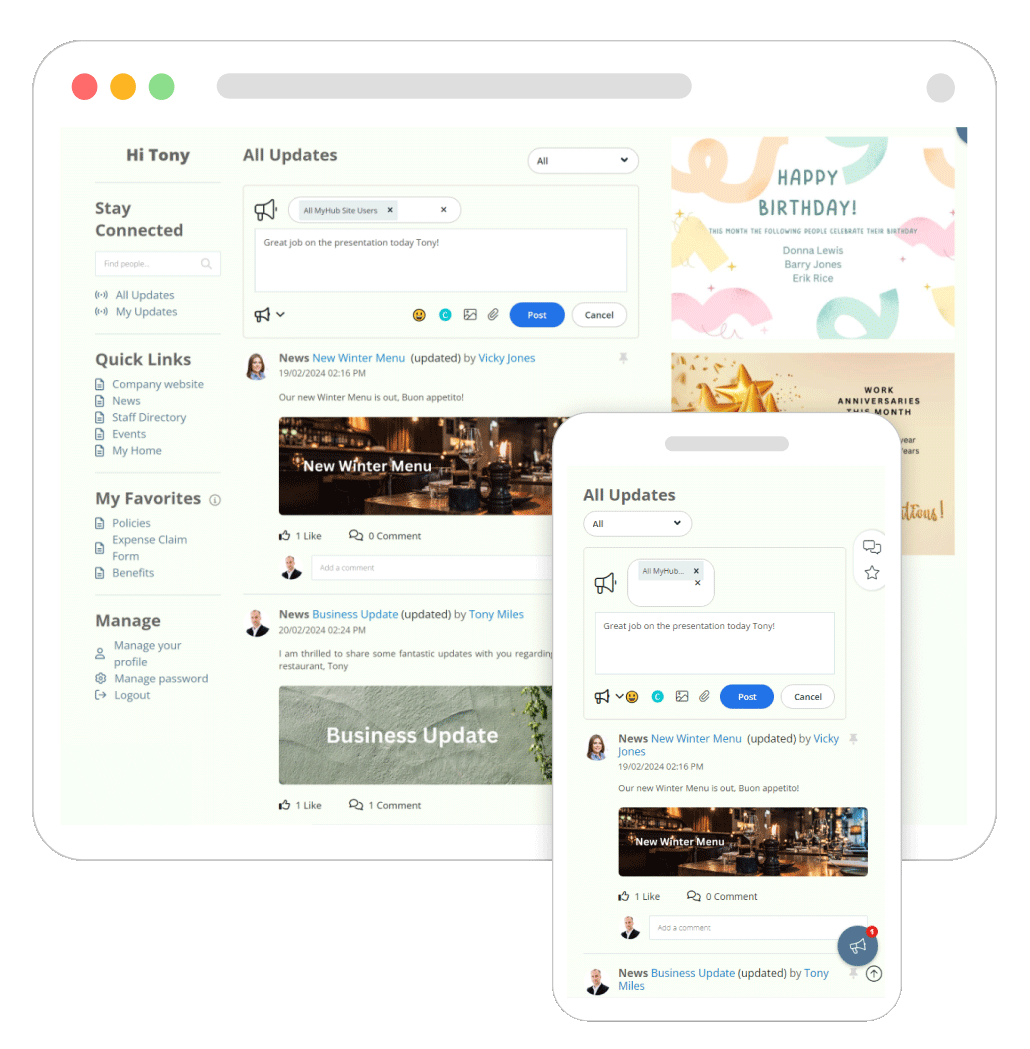
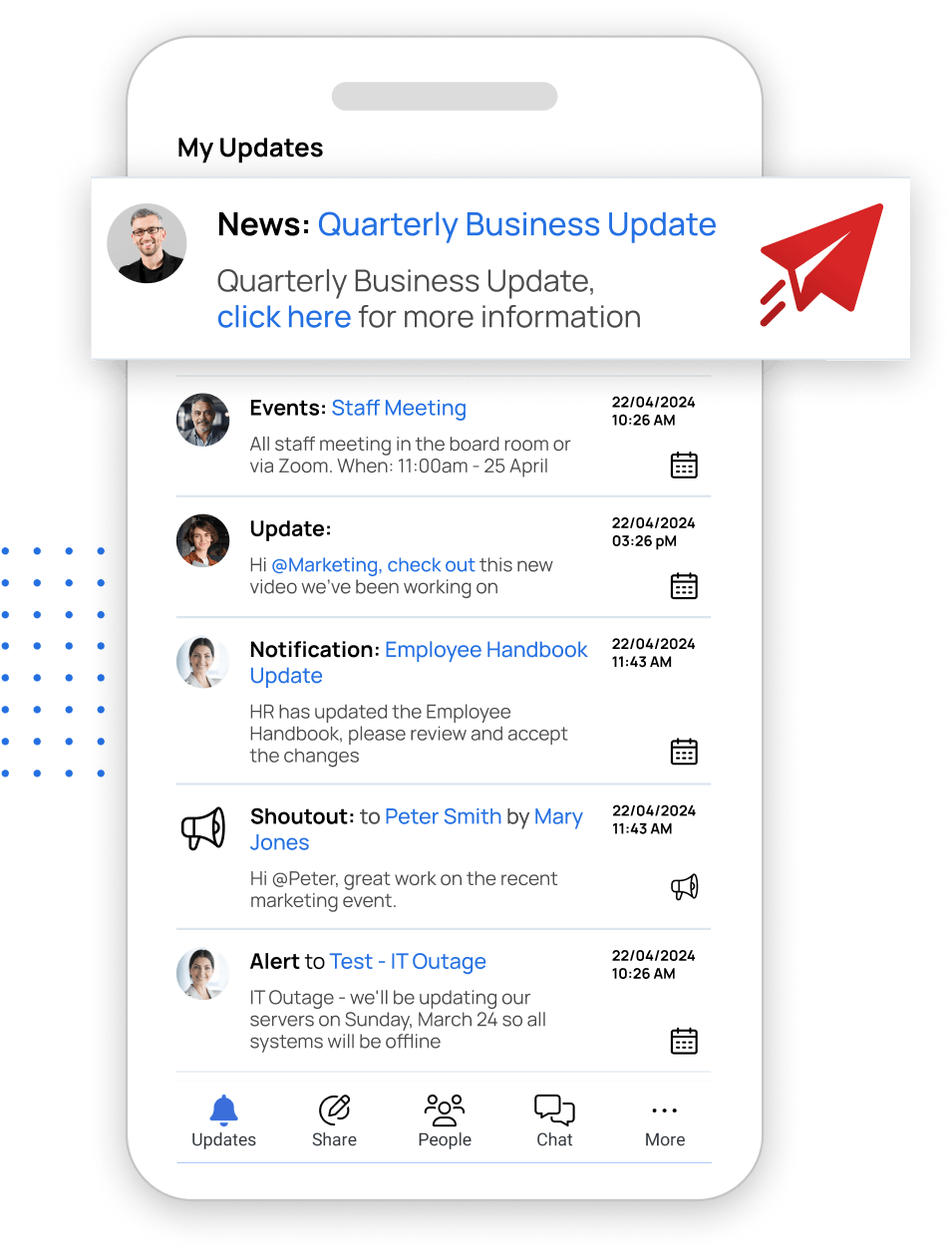
Welcome to the heart of your intranet experience! MyHub empowers everyone to individualize their intranet experience, leading to improved engagement and less wasted time.

Experience the power of a community-driven intranet with MyHub’s Update feature, which allows users to share updates, including shoutouts and alerts, ultimately fostering collaboration and knowledge sharing across your organization.

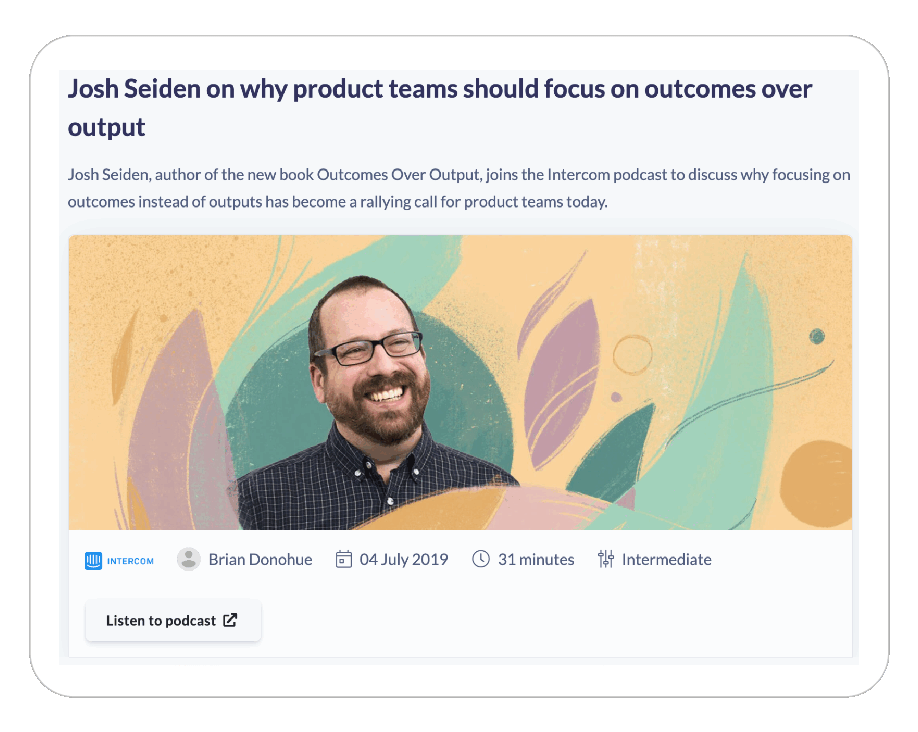
Smarter Learning, Built Into Your Intranet

Keep your people engaged and growing with MyHub’s AI-powered Learning Management System. Deliver onboarding, compliance, and professional development seamlessly within your intranet.

  • AI-assisted course creation saves time
  • Personalized learning paths adapt to each employee
  • Integrated learning notes and reporting capture progress
  • Build courses from any format, including video, podcasts, PDF and more
LMS-Software-2
Intranet Design Service

Create an intuitive and beautiful intranet

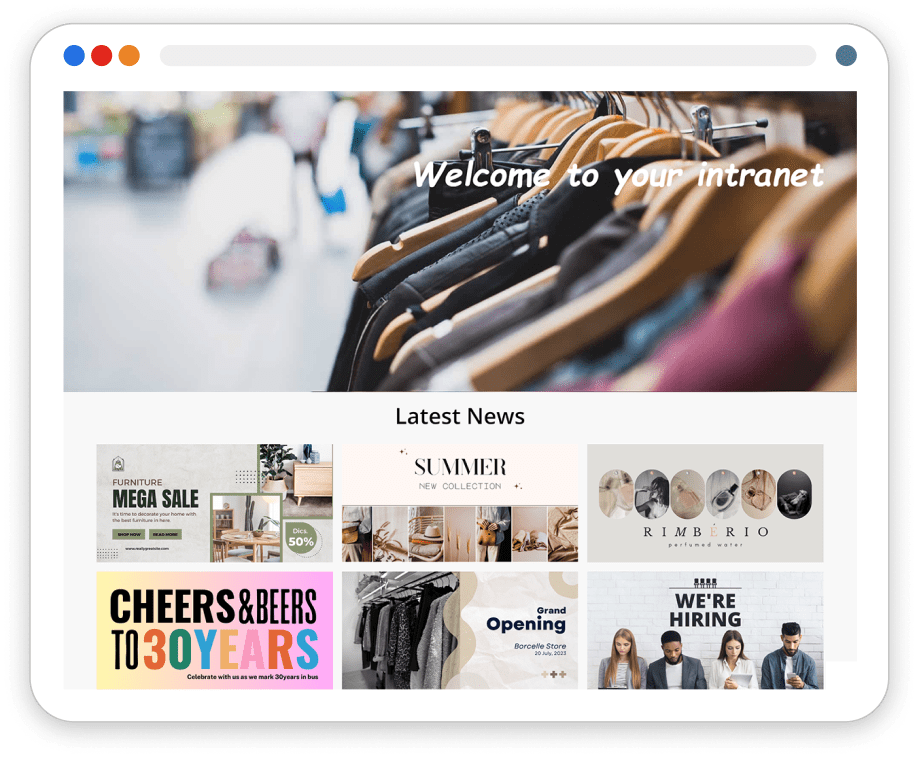
Delivering a beautiful functioning intranet is now easier with MyHub’s integration with Canva. Images and designs sourced from Canva can be used alongside other content types, from PDFs to videos, to enhance your intranet’s appeal.

Simplify the publishing and sharing of critical information while making your intranet visually stunning.

Book a demo today to discover how effortless it is to create an intranet you’ll be proud of.

Best Western are now more productive than ever

A long-established global family of hotels, Best Western Hotels & Resorts in Scandinavia is a brand that’s known and trusted throughout the world. It’s certainly a big player in Scandinavia with over 150 hotels situated in Sweden, Denmark and Norway. However, with head office based in the US and a corporate intranet offering that wasn’t geared to local conditions, Best Western Scandinavia set about looking for an alternative solution which brought them to the MyHub intranet.

FIND OUT MORE >

Quick and easy access to your intranet in your pocket

The most essential employees in any business are the ones on the road, often doing the ‘real’ work. So giving these team members information at the right time can materially move productivity. That’s where our mobile app comes in.

Not everybody has a desk job, but they have a mobile device. So when your team needs quick access to information, wherever they are, our mobile app is the first place to go.

The mobile app will enhance how your team works, giving a seamless experience across all devices and providing employees with the same level of access, whether in the office or out and about.
Updates Mobile
quick-links

Team can’t find critical documents? They will soon…

We’d love to show you how easy MyHub is to use. Watch our video or book a demo.

Check out what our customers say >>

Capterra
G2
Software Advice
GetApp

Some interesting articles you may like…

WordPress Intranet: 7 Of The Biggest Challenges

WordPress Intranet: 7 Of The Biggest Challenges

WordPress can be used as a company intranet—either hosted locally or online—with themes like Woffice and plugins for access control, knowledge bases, social interaction, and project management. Yet, although it’s widely used (43 %+ of web platforms run on WordPress), it wasn’t designed as an intranet, and adapting it for internal use brings unique challenges .

One core challenge is deciding between building vs buying: a DIY WordPress intranet demands technical know-how, server space, and ongoing maintenance, while off-the-shelf plugins/themes may deliver limited capabilities and may become obsolete . You’ll also need a carefully chosen combination of intranet plugins—BuddyPress, knowledge base tools, project managers, Google Drive embedders, access restrictions—and a theme that supports intranet design.

Finally, usability and support significantly affect adoption. While WordPress offers “5-minute installs” and user-friendly basics, building an intranet adds complexity. Many users find it more taxing than expected, especially without IT expertise, and ultimately pivot to purpose-built platforms for ease and long-term scalability.

Employee Directory Software: The Intranet Solution

Employee Directory Software: The Intranet Solution

The blog highlights that while standalone employee directory tools are prevalent, an intranet solution—like MyHub—offers a superior, all-in-one experience. Beyond basic contact lists, an integrated directory features rich profiles, photos, biographies, expertise tags, and project highlights. This makes discovering and connecting with colleagues intuitive and engaging.

A modern integrated directory fosters better working relationships and employee engagement by breaking down organizational silos. Customizable profiles empower employees to showcase skills and contributions, making interdepartmental collaboration smoother. It also humanizes teams, easing onboarding and reducing communication friction—no more forgotten names or awkward intros.

Additionally, network-enabled directories help reinforce company culture. They give employees a sense of identity and belonging by illustrating how each individual fits into the larger mission. Easy-to-use features—such as self-updating profiles and straightforward search—ensure adoption remains high, keeping the directory current and relevant.

HR Intranet Portal: 10 Compelling Benefits For Human Resources

HR Intranet Portal: 10 Compelling Benefits For Human Resources

An HR intranet portal is a centralized digital workspace that places HR policies, forms, training, and news at employees’ fingertips—24/7, across any device. It’s built to empower staff with self-service options and reduce repetitive administrative tasks for HR teams, improving efficiency and accessibility for both in-office and remote workers

The platform’s strength lies in streamlined processes like leave management, appraisals, recruitment, and onboarding, all supported by automated routing and powerful search. This not only saves time but also ensures consistency and compliance in documentation. Rich two-way communication tools—such as blogs, forums, instant messaging, and surveys—cultivate a connected, inclusive culture regardless of where teams are based

Engagement is further boosted through social features, recognition tools, directories, and wellness resources. HR portals help build relationships, reinforce employer branding, and track engagement metrics through quizzes, feedback, and exit surveys. Plus, they eliminate login fatigue by integrating third-party apps (like Microsoft 365, Salesforce) via single sign-on under one digital roof .

Website For Employees: Top 17 Essential Features

Website For Employees: Top 17 Essential Features

A modern website for employees, often called an intranet, serves as a centralized hub to streamline communication, collaboration, and connection for team members—both in-office and remote. MyHub’s blog outlines 17 essential features, beginning with team & company-wide newsfeeds, business instant messaging, and staff profiles that humanize coworkers and strengthen engagement. These tools make finding updates and colleagues faster and more intuitive, replacing cluttered emails and shared drives.

Beyond communication, the intranet becomes a powerful productivity engine. It combines a centralized information hub with smart search, automated requests and approvals, project workspaces, and knowledge management tools like forums, wikis, surveys, and quizzes. This consolidation reduces wasted time, ensures employees can quickly access SOPs, policies, training content, and collaboration spaces without hopping between apps.

Employee experience is further enriched through onboarding support, learning & development portals, employee recognition, and fun social features. An intranet that includes mobile-first design, enterprise app integration, and gamification elements—like shout-outs and contests—boosts adoption and culture. MyHub emphasizes that unless a staff website is built around employee needs, it likely won’t engage users—which is why those 17 features are mission-critical .

Instant Messaging In The Workplace – All You Need To Know

Instant Messaging In The Workplace – All You Need To Know

Instant messaging (IM) has revolutionized internal communications, enabling employees to connect seamlessly via text, video, voice, and file sharing in real time. Unlike email or phone calls, IM supports group channels, @mentions, hashtags, and presence indicators—ideal for fast-paced or hybrid work environments where timely interactions matter.

IM offers significant efficiency gains: quicker answers, reduced email volume, improved collaboration, and measurable productivity increases—66 % of users report faster query resolution, while 75 % see fewer calls and emails thanks to chat usage. It also enhances team cohesion, especially in remote settings, by encouraging informal chats (#coffeebreak), emoji reactions, and social recognition that mimic in-person interactions.

However, IM isn’t without drawbacks. Uncontrolled notifications can distract, security vulnerabilities may arise without proper safeguards, and reliance on chat alone can erode deeper connections fostered through richer communication channels. To strike a healthy balance, organisations are advised to implement clear IM guidelines—covering etiquette, work‑life boundaries, content appropriateness, and integration strategies to align chat tools with existing systems .

27 Easy Office Management Software Tools

27 Easy Office Management Software Tools

Office management software centralizes routine processes—such as task tracking, communication, document handling, and scheduling—under one digital roof, reducing manual work and minimizing errors. By automating repetitive tasks and improving visibility, both staff and management can focus on high-impact strategic work and better support business goals.

These solutions also enhance internal collaboration and communication. Integrated tools like chat platforms, file sharing, and video conferencing keep teams connected and aligned, whether in-office or remote. Powerful integrations with project tools, performance reviews, and HR systems ensure a seamless experience across the organization.

Finally, office management platforms offer vital analytics and scalability. They provide real-time performance metrics and support informed decision-making while adapting to team growth. As cloud-based tools evolve—with AI/ML enhancements—they promise more intelligent automation and efficiency, making them essential for modern, agile workplaces.

Workplace Incident Report Sample – Free Template!

Workplace Incident Report Sample – Free Template!

Workplace incident reports—covering accidents, injuries, near misses, security issues, and property damage—are essential tools for safeguarding health and safety on the job. Filling in a report as soon as possible preserves critical details and supports compliance with occupational health regulations. Centralizing these reports in a register enables regular review by management.

The true value lies in investigation and prevention: reports help identify root causes, leading to corrective actions like changing procedures, updating training, or fixing equipment. Reporting even near misses reinforces a proactive culture, protecting employee wellbeing, reducing costly legal claims, and boosting morale .

An effective incident report form should be clear and structured, capturing event type, location, people involved, witness details, environmental conditions, injury or damage descriptions, and treatment steps. To encourage thorough reporting, use corporate branding, field guidance, and options to upload photos/videos. Collect feedback on the form from employees and iterate accordingly.

How To Make Great Intranet Homepages: Best Practice Tips

How To Make Great Intranet Homepages: Best Practice Tips

The intranet homepage serves as the gateway to your digital workplace—it’s the first thing staff see upon login and sets the tone for their day. A well-designed homepage should showcase core apps, tools, and content in a clear, visually engaging manner to encourage ongoing use. Conversely, a cluttered or uninspiring homepage can kill adoption and user engagement.

Key design principles include simplicity, consistency, intuitive navigation, and inspiriational visual design. Simplicity demands clean layouts to help staff find what they need swiftly, while consistent design across pages enhances familiarity and usability. Prominent search bars, mega menus, and categorized widgets guide users seamlessly to important tools and knowledge.

Finally, your homepage should reflect your purpose and brand. Whether your focus is internal comms, collaboration, or processes, tailor content accordingly. Engage employees with a strong visual identity, media-rich elements like staff photos or videos, and ensure mobile responsiveness so hybrid and remote workers stay connected and productive on the go.

All About Remote Work: Definition, Benefits, Statistics

All About Remote Work: Definition, Benefits, Statistics

Remote work, defined as performing job duties from anywhere—home, café, or coworking space—has surged since the pandemic halted traditional office routines. From 2018 to 2021, full‑time remote workers more than quadrupled, and now hybrid and fully remote setups are the new norm. This trend reflects flexible work styles reshaping how teams operate.

Employees benefit from reduced commutes, lower stress, and greater autonomy, often reporting better work‑life balance, savings of ~$6,000/year, and renewed job satisfaction. Organizations gain cost savings—up to $22,000 per remote worker—and experience productivity boosts (up to +29%), improved retention, and access to a global talent pool. Environmentally, remote work cuts commuting emissions, supports sustainability goals, and reduces office energy use.

To succeed, both employees and leaders need the right tools (cloud storage, video conferencing, collaboration platforms), structured routines, and a dedicated workspace. Awareness of challenges—like communication gaps, motivation dips, mental health concerns, and technology hurdles—is crucial. Hybrid models (fixed, flexible, office‑first, remote‑first) offer balanced solutions, and expert opinions from Microsoft, Google, Meta, and CBRE signal that flexible work arrangements are here to stay.