
The Intranet Design Guide
Not sure where to get started in designing your intranet?
Check out our easy step-by-step guide below.
Let us guide you through the process.

Intranet Design Made Simple

Deciding to go ahead with an intranet was the easy part, right? After all, whether it’s improved communications, more streamlined processes, or easier access to information, the intranet ticks all the boxes.
However, designing your intranet can be a daunting task.
There are many decisions to be made around the type of intranet, hosting options, organization, structure, plus content, and design. With so much to think about, it can be tough to get started.
And if technology isn’t really your thing, it can be even harder to kick-start your intranet. That’s where this intranet design guide comes into play.
So, if widget, cache, and malware sound like another language, then this guide is for you! Written in simple-to-understand and jargon-free terms, the design guide is non-technical. And where technical language is unavoidable, we clearly define what we mean.
This guide will show you that designing an intranet is a simple task. In fact, it’s so easy, you won’t need IT backup or a college degree in computers!
Click here to download this guide in PDF format
Step-By-Step Intranet Design Support
The guide is a comprehensive resource, covering everything you need to know about intranets. We provide helpful insights at every stage, from different intranet types and hosting options to security and training.
And we also look at all the latest intranet design best practices. This resource includes lots of practical examples and visuals that will excite and inspire you.
What’s Included In This Intranet Design Guide
Who Should Read This Guide
The design guide is an essential resource for anyone planning to implement a new intranet. It’s also required reading if you are looking to revitalize, revamp, or refresh an existing intranet.
Perhaps you are in the market for an intranet provider to help you realize your vision. The design guide can help you make a winning selection.
Written for the non-technical person, this resource will also support HR or Marketing staff tasked with implementing an intranet.
Why Intranet Design Is So Important
Before we move on, it’s essential to understand why intranet design is so important.
Your intranet’s overall look and feel has the power to grab users’ attention and draw them in. It can spark creativity and foster collaboration. It can connect employees and turn the everyday task into something engaging and fun.
However, the stakes are high. A poorly designed intranet will have the opposite effect. A confusing, overloaded, and ugly intranet will see staff switch off. It’s a wasted opportunity as well as investment.
With so much to lose, getting your intranet design right has to be a priority.
No Two Intranets Are Alike
When it comes to design, there is no one-size-fits-all intranet solution. Sure, there will be similarities. It could be layout, functionality, or scope. However, every organization is different, and so too is their intranet.
Furthermore, staff members will use the intranet differently depending on their job roles and team functions.
Employees use the intranet mainly to source information or collaborate with colleagues. Managers, however, use the intranet to engage workers with targeted communications.
Your intranet design needs to satisfy all the varying needs of employees.
And it also needs to meet the challenges of the modern digital workplace.
The global Covid-19 pandemic has fast-tracked the shift towards remote working. Companies have to pivot and rethink how they engage with their workforce in today’s rapidly changing environment.
And they need to ensure employees have the tools available to remain productive even when working from home.
A mobile intranet is a minimum requirement. In fact, it’s not so much a requirement as an expectation. Whether staff are on the go or working from home, they expect to continue working.
Versatile and flexible, the intranet is capable of meeting these competing demands. And your intranet design should make this vision a reality.
Intranet Templates Make Design Easy
And if you are pushed for time, then intranet design templates could be the perfect solution. This guide takes you through all you need to know.
In short, intranet templates come with in-built coding plus a basic design and graphics. The setup wizard makes it quick and easy to implement your customized intranet. Upload your logo, branding, and corporate colors to really put your company stamp on the intranet. And the good news is the intranet provider has already extensively tested the functionality. And that’s one less major headache for you to worry about.
Therefore, design templates are a popular choice if you need to get your intranet up and running quickly.
Let Us Guide You
Use this guide to make your intranet deployment a smoother and quicker process.
Essential reading for those starting to deploy an intranet, this resource will also help businesses looking to revamp an existing intranet.
Either way, we understand the challenges that are involved. And you get the benefit of our experience as we guide you through the process from beginning to end.
So, let’s get started.
Intranet Design Infographic
If you would like an overview of our intranet design guide, we have created a PDF infographic file summarizing the main points available here.
Further Reading
This further reading list will be an invaluable resource as it takes you through everything you need to know. We give you the benefit of our considerable experience in developing intranets and provide simple, easy-to-follow explanations, insights and advice.
Use this list to explore the latest intranet design best practice principles. Find out how pre-built intranet templates could well be the solution every time-pressed business owner is looking for. Discover how to ensure your intranet design is mobile friendly and optimized for use on smartphones and tablets. And learn about how to make your intranet interactive and fun so that users readily engage with the platform making for a more efficient and effective workplace.
These are just some of the insights available in this category so why not have a browse or use the search functionality to explore more about intranet design. With our comprehensive knowledge bank, you’ll soon discover that designing an intranet isn’t the mammoth task that perhaps you first thought it was.

How To Motivate Employees: 12 Effective Ways
Employee motivation isn’t just about compensation—it’s about engaging the heart and mind. MyHub’s guide lays out four core drivers—recognition, responsibility, advancement, and rewards—which, when embedded in simple workplace strategies, lead to measurable boosts in morale and performance. Notably, 67% of employees cite praise from managers as more motivating than a pay raise.
One practical strategy is recognition. Public acknowledgment—via shout-outs, peer-nominated awards, or spot bonuses—costs little but delivers high impact. Highlighting achievements on the company intranet, newsletters, or team meetings reinforces a culture of gratitude and helps employees feel valued.
Another key approach is empowering employees with responsibility and autonomy. When staff have control over their tasks and decision-making, they become more engaged and committed. Coupled with visible opportunities for professional growth—through training, mentoring or advancement—it helps them see a future with the organisation. A modern intranet can support this by hosting learning modules, skill quizzes, and forums to share expertise.

Work From Home Policy – With PDF Sample Template
The widespread shift to home-based work during the pandemic has led organizations to recognize remote and hybrid work as permanent fixtures in modern working life. A formal work-from-home policy is now a necessity—not a luxury—enabling clarity between employer and employee on expectations, rights, and performance standards.
This article outlines the six critical steps in crafting an effective policy: define clear objectives and scope (such as fully remote vs hybrid use), establish eligibility criteria, set communication and work-hour expectations, and specify technical support, equipment provisions, and expense arrangements. It also includes vital sections on cybersecurity protocols, approvals process, and social support to address remote isolation.
By implementing a structured WFH policy, companies can safeguard sensitive data, boost productivity, reduce overhead, and improve employee well-being. Remote workers benefit from greater clarity on equipment allowances, tech support, and workspace setup guidance, while employers protect their interests and strengthen recruitment and retention in an increasingly flexible work landscape.

6 HR Workflow Automation Best Practices for a More Productive Team
Human resources (HR) teams are at the core of every organization. They’re responsible for everything from...

Signs of Bullying at Work – Workplace Bullying Examples
Workplace bullying can often be subtle but deeply harmful. This article outlines seven key indicators—verbal abuse, persistent criticism, social or professional isolation, excessive monitoring, sabotage, physical intimidation, and cyberbullying—that signal an unhealthy work dynamic. Recognizing these patterns is essential for individuals to understand when casual conflict escalates into sustained mistreatment.
Early warning signs—like name-calling, snide remarks, or being excluded from meetings—can escalate if unchecked. Persistent criticism or micromanagement is more than feedback; it’s about control and diminishing someone’s confidence. Sabotage—whether withholding key information or setting unrealistic expectations—can undermine performance and create failure traps.
Bullying isn’t limited to offline behavior. Physical threats or aggressive gestures, though rarer, pose serious safety concerns. Cyberbullying—harassment via email, messaging apps, or social platforms—is increasingly prevalent and damaging. The article emphasizes that intermittent episodes don’t constitute bullying; it’s the persistent, ongoing pattern that causes real harm.
15 New Intranet Launch Ideas
Launching a new intranet isn’t simply a technical rollout—it requires a vibrant launch campaign to generate excitement and drive user adoption. This post from MyHub outlines 15 fresh, practical strategies that engage employees before, during, and after the launch. The emphasis is on people-focused tactics—not just features—to ensure the intranet becomes a part of daily workflow.
Before launch, efforts such as identifying intranet ambassadors, running teaser campaigns, and featuring a naming competition help build momentum. These pre-launch tactics appeal to emotional investment—exciting employees about what’s coming and how the intranet will improve their work lives. During launch day, strategies include live demos, Q&A sessions, training events, and gamified elements like badges and leaderboards to encourage engagement from day one.
Post-launch activities focus on sustaining momentum: onboarding guides, ice-breaker challenges, feedback surveys, recognition campaigns, and periodic “intranet champions” push messages. With the right mix of anticipation, engagement, and follow‑through, MyHub shows organizations can transform their new intranet from a tool into a thriving digital community.

Meeting Minutes: Sample, Format, How To Write
Effective meeting minutes serve as a concise, factual record of discussions, decisions, action items, and next steps. They help teams remember key takeaways, assign accountability, and support legal or compliance auditing—especially valuable for board meetings or multi-department gatherings.
The blog recommends starting with the meeting agenda to structure your notes, checking expectations with the facilitator, leveraging voice recordings when available, and sticking to past-tense, objective summaries rather than personal comments. Using a consistent template covering date, time, participants, agenda items, decisions, action points, and next meeting details ensures clarity and completeness .
Additional advice includes proofreading for consistency in tense and formatting, assigning tasks to named individuals with deadlines, and circulating minutes quickly to maintain relevance. Templates for board, team, and one-on-one meetings are provided in both Word and PDF formats to simplify adoption.

Intranet Security: How Secure Is Your Company Intranet?
A company intranet may feel like a secure, private network, but it’s still vulnerable to both external and internal threats. Malware, phishing, and unauthorized access can infiltrate through neglect or outdated protection. Meanwhile, insider issues—like weak passwords, human error, and over-permissive access—cause around 82% of data breaches.
To help fortify your intranet, start with key security measures: a robust firewall, antivirus protection, and SSL encryption to protect data in transit. Additionally, enforce strong authentication through SSO, Multi-Factor Authentication (MFA), and directory protocols like LDAP. Regular patching and updating of software close known vulnerabilities.
Successful intranet security requires an ongoing, multi-layered strategy. Limit and review user access based on roles, promptly revoke access during offboarding, and monitor connectivity—especially on personal devices. Incorporate security awareness training and simulated phishing exercises to empower employees against threats. Engage trusted hosted intranet providers who offer automatic updates, backups, and professional oversight.
Employee Code of Conduct Explained, With Free Template
An employee code of conduct is a foundational document for good corporate governance—communicating company values, setting clear behavioral expectations, and reducing ambiguity about appropriate workplace actions. Designed to align with corporate culture and legal compliance, it supports new hires by providing clarity about what’s expected from day one.
A well-crafted code defines essential elements—from mission statements and values to rules on discrimination, harassment, resource usage, confidentiality, conflicts of interest, attendance, and professionalism . It also outlines consequences for non-compliance, including warnings, suspension, termination, or legal action. By establishing transparent standards, it protects both employees and the organization.
Creating a strong code of conduct involves HR leadership and stakeholder input. Best practices include reviewing past incidents, gathering feedback, simplifying language, and making the document easily accessible—often hosted on an intranet . The result is a policy that promotes accountability, trust, and a supportive workplace culture.

HR Advisor: Responsibilities, Skills, And Requirements
An HR Advisor is a central figure within human resources, balancing strategic guidance and day-to-day support. Key responsibilities include advising on employment law and HR policies, resolving employee relations issues, and assisting with recruitment, onboarding, and staff development. In addition, they often maintain HR records, monitor metrics like turnover and retention, and support performance review processes.
Success in this role requires excellent communication and interpersonal skills—essential for policy interpretation, conflict resolution, training delivery, and impartial investigations . HR Advisors must also be organised, discreet, and proficient with HR systems, allowing them to manage confidential data and support evidence-based decision-making. Core technical skills include strong knowledge of employment law, recruitment methods, and HR software.
Typically, an HR Advisor holds a Bachelor’s (or Master’s) degree in HR, business, or related fields, along with 3–4 years of prior HR experience. Advanced qualifications—like professional HR certifications (PHR, CIPD)—and deeper legal know-how are desirable for more senior or specialized roles. With experience, Advisors can progress into leadership positions or niche areas such as learning & development or labor relations.

Board Governance Models: The How, What, And Why
Strong board governance is critical to organizational success. This blog post explores the 7 most common governance models used by boards worldwide, including the advisory board, cooperative, management team, policy, traditional, and hybrid models. Each model defines different roles, responsibilities, and levels of authority for board members and management
For example, the policy governance model—popularized by John Carver—focuses on separating strategic oversight from daily operations, whereas the cooperative model emphasizes shared authority and consensus decision-making. The management team model involves board members actively running operations, which can be suitable for startups or smaller organizations with limited staff. Choosing the right model depends on an organization’s size, sector, resources, and goals
The post also outlines best practices for improving board effectiveness—such as adopting clear reporting lines, setting performance expectations, and using tools like MyHub’s intranet to manage board communications, documentation, and workflows securely. Ultimately, the right governance model should promote clarity, accountability, and alignment between the board and executive leadership.

Two Way Communication Explained
In today’s dynamic work environment, effective communication is paramount. The blog post from MyHub Intranet delves into the concept of two-way communication, emphasizing its role in fostering a collaborative and transparent workplace culture. Unlike one-way communication, which is top-down, two-way communication encourages feedback, dialogue, and mutual understanding between all organizational levels.
The article outlines the myriad benefits of implementing two-way communication strategies. These include increased employee engagement, improved job satisfaction, enhanced trust between staff and management, and reduced misunderstandings. By promoting open dialogue, organizations can tap into employee insights, leading to better decision-making and innovation.
To effectively establish two-way communication, the blog recommends practices such as active listening, tailoring messages to diverse audiences, being responsive to feedback, and taking actionable steps based on employee input. Utilizing tools like intranet forums, surveys, and instant messaging platforms can facilitate this interactive communication, ensuring that employees feel heard and valued.

Exit Interview Forms: How To Obtain Actionable Information
Exit interviews are often overlooked, but they’re a critical tool for understanding why employees leave and how your company can improve. When conducted with care and consistency, they offer unique insights into company culture, communication gaps, management issues, and more. Because exiting employees tend to be more candid, their feedback can uncover hidden problems that affect engagement and retention.
The key to unlocking this value is structure. Using a standardized exit interview form keeps conversations focused and productive while ensuring data is comparable across interviews. The blog outlines the ideal form structure, tips for gathering honest feedback, and sample questions that cover everything from relationships with managers to reasons for leaving. Offering anonymous or third-party-led interviews can also help employees open up.
But collecting data is just the beginning. The real power lies in analyzing trends and taking action. The article stresses the importance of reviewing and sharing feedback with leadership and the broader team to close the loop. When employees see that feedback leads to change, trust and engagement grow—creating a workplace where fewer people want to leave in the first place.

Ergonomics In The Workplace – 36 Office Safety Tips
This article provides essential guidance for creating a safe and ergonomic office environment. It begins with key tips on setting up an ergonomic workstation to prevent discomfort and long-term health issues. Proper posture, chair adjustments, and screen positioning are discussed to help employees work efficiently without strain.
The article also highlights the importance of maintaining a hazard-free office. From keeping floors clear to ensuring emergency exits are accessible, it covers best practices for eliminating physical risks. The content emphasizes the role of employee responsibility in safety, including following no-smoking policies and keeping workspaces organized.
In addition, the article delves into how to perform assessments of office ergonomics and safety. It explains how businesses can use online tools and resources to conduct self-assessments, and how the intranet can play a central role in tracking safety training and compliance. By investing in these practices, employers can protect their workforce, reduce healthcare costs, and foster a healthier, more productive workplace.

Amateur Sports Club Portal: Simplify Administration And Communication
Running an amateur sports club involves far more than just game day logistics. Behind every successful association is a team of dedicated volunteers juggling full-time jobs, families, and club responsibilities. Unfortunately, much of the club’s administration—like emails, meetings, and file sharing—is handled inefficiently, costing time and causing confusion. A sports club intranet portal offers a smarter way forward, centralizing communications, documents, and tools in one easy-to-use online platform.
A club portal functions as a private, cloud-based intranet that gives authorized members instant access to key features like news bulletins, calendars, document repositories, and knowledge hubs. It simplifies communication by streamlining announcements and updates, while document management ensures everyone can access the latest versions of forms, flyers, and codes of conduct without relying on a single admin. With integrated tools like Google Forms and Sheets, clubs can digitize and automate many of their most time-consuming tasks.
Beyond features, portals are surprisingly affordable and easy to set up—especially for nonprofits. Many cloud providers offer discounted rates, and the setup process is intuitive enough to get a club running within hours. With 24/7 mobile access, volunteers can contribute on their own time, whether that’s from the sidelines or during a coffee break. Overall, a club portal is not just a tool—it’s a game-changer for amateur sports clubs looking to improve efficiency and reclaim valuable time.
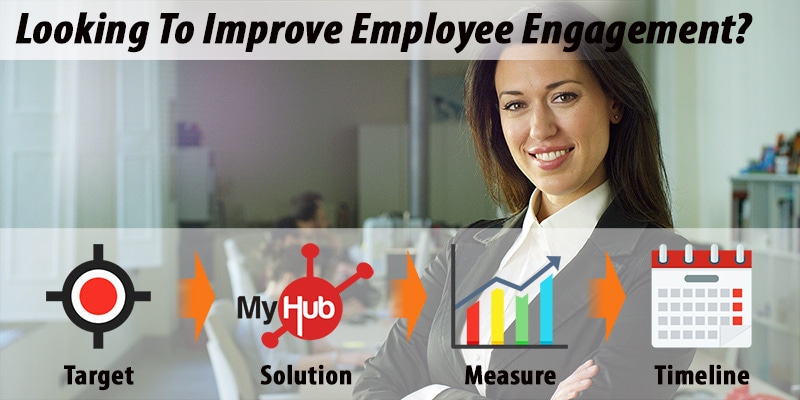
Employee Engagement Action Plan: It’s Time For Action Continued
Download a PDF version of employee action plan example here: employee-engagement-action-plan.pdf Area for Improvement Proposed Solutions Success...