Intranet Software Articles

Home » Intranet Software

Maybe you are a business owner or manager who is convinced of the need for an intranet. Perhaps you’re a senior executive who is looking forward to solving an organizational pain point with an intranet. However, having googled intranet software, you are now completely bamboozled by all the different options out there. How do you know which one is best for your business?

This category of posts on the topic of intranet software will help you make sense of all the different options out there so that you can confidently select the best fit for your company. As well as clear definitions on commonly used terms like intranet, extranet and portal, you’ll also find information on the advantages and disadvantages of all the options.

Perhaps yours is a large company with a strong internal IT resource as well as an on-site company server. You may well be actively considering a bespoke intranet built from scratch. Use this category to discover the benefits as well as the drawbacks. Maybe your business already uses WordPress as a website platform or as a content management system and so you want to explore the possibility of using it for your intranet as well. In this category, you’ll find an honest appraisal of using WordPress and other possibilities such as Drupal. Also included is everything you need to know about cloud intranets: from how to set one up through to information on assuring the security of your company data, and an examination of the powerful tools and modules on offer.

In short, this category is a good starting point for anyone who wants help and advice on any aspect of intranet software.


SaaS LMS: Smarter Learning for the Modern Workplace

SaaS LMS: Smarter Learning for the Modern Workplace

A SaaS LMS (Software as a Service Learning Management System) is a cloud-based platform that allows businesses to deliver training, onboarding, compliance programs, and professional development without the complexity of on-premise software. Unlike traditional LMS solutions, SaaS LMS platforms are accessible from any device, provide real-time updates, and scale effortlessly as organizations grow, making them ideal for modern, distributed teams.

Modern companies face challenges with disconnected tools, scattered learning materials, and inconsistent training processes. A SaaS LMS solves these issues by centralizing learning content, policies, and communication in one platform. Employees can access courses anytime, managers can track progress and completion rates, and HR teams gain actionable insights to close skill gaps efficiently—all while reducing administrative workload.

By integrating a SaaS LMS into the company workflow, businesses create a seamless learning experience that supports engagement, productivity, and continuous development. Features like AI-assisted course creation, personalized learning paths, automated reporting, and collaborative tools ensure employees stay motivated and aligned with organizational goals. This approach transforms training from a task into an integral part of everyday work.

read more
How To Create An Intranet: A Step By Step Beginner’s Guide

How To Create An Intranet: A Step By Step Beginner’s Guide

Launching an intranet can feel overwhelming—especially when the options seem technical and the stakes are high. This guide starts by demystifying what an intranet is: a secure internal network where employees collaborate, share resources and communicate effectively. It then explores the main types of intranet solutions—custom-built, off-the-shelf, or cloud-hosted—so organisations can choose an option based on their needs, budget and technical capacity.

The next section drills into the step-by-step process. It begins with assembling the right project team (cross-department representation and leadership support). Then it emphasises defining clear goals and conducting a needs analysis (what problems you want the intranet to solve). Afterwards comes selecting the software solution, designing the site architecture and content strategy, and building the intranet with branding and usability in mind. The guide offers practical design tips like the “six-six rule” (max six pages per section, six items per page) and emphasises mobile-responsiveness and simple navigation.

The final part covers launch and long-term success: pilot testing with a subset of employees, training users and champions, creating buzz around the go-live, and establishing governance, feedback loops and continuous improvement to keep the intranet relevant. The message is clear: the intranet isn’t just a project you check off—it’s a lasting part of your digital workplace that evolves with your business.

read more
The Complete Intranet Design Guide: All You Need To Know

The Complete Intranet Design Guide: All You Need To Know

In this guide, MyHub outlines a structured approach to designing an intranet that truly works for users — not just IT. The process begins with defining the purpose: who the intranet serves, what problems it solves, and how success will be measured. Without this foundation, the design risks being misaligned or under-used.

Next the guide walks through key design components: branding (logo, colours, tone), site architecture (navigation, page hierarchy, discoverability), content strategy (what will live on the intranet, how often it’s updated, who owns it), and user experience (mobile access, intuitive layouts, search). Each step is explained in actionable terms, making the technical feel accessible to non-IT stakeholders.

Finally, the guide emphasises launch and adoption: creating a phased rollout plan, training champions, gathering feedback, measuring usage metrics, and maintaining momentum after go-live. The idea is that a successful intranet isn’t built once and forgotten — it evolves through use, stakeholder input, and continuous improvement.

read more
Best Company Intranet Names: Ideas and Examples

Best Company Intranet Names: Ideas and Examples

Choosing the right name for your intranet is more than just a branding exercise; it’s about creating an identity that resonates with your team and reflects your company’s values. The MyHub article emphasizes the importance of a thoughtful intranet name, explaining that it can inspire, motivate, and engage users, while also conveying your brand’s vision and values. A well-chosen name humanizes the intranet and helps distinguish it from other company systems.

The blog provides a curated list of ten creative intranet names to spark inspiration. These include “Work-e-pedia,” “Exchange,” “The Grid,” “Pulse,” “Elvis,” “The Hub,” “Gateway,” “Insite,” “The Forum,” and “Planet.” Each name is accompanied by a brief explanation of its potential appeal and relevance, offering a diverse range of options to suit various organizational cultures and objectives.

Beyond the list, the article offers practical advice on how to approach the naming process. It suggests considering your intranet’s goals, your company’s culture, and how employees will use the platform. The blog also recommends involving staff in the naming process to foster a sense of ownership and engagement, ensuring the chosen name resonates with the entire organization.

read more
CMS Intranet Software: Unleash The Power

CMS Intranet Software: Unleash The Power

In today’s fast-paced business environment, effective internal communication and collaboration are paramount. MyHub’s CMS intranet software offers a comprehensive solution to streamline these processes. By providing a centralized platform for content management, employees can easily create, edit, and share information without the need for extensive technical knowledge. This user-friendly approach ensures that all team members, regardless of their technical expertise, can contribute to and benefit from the intranet’s resources.

The software’s versatility extends beyond content creation. It integrates various tools that facilitate seamless collaboration among team members. Features such as instant messaging, shared calendars, and document sharing enable employees to work together efficiently, regardless of their physical location. This is particularly beneficial for organizations with remote or hybrid work models, as it ensures that all team members remain connected and engaged.

Furthermore, MyHub’s CMS intranet software is designed with scalability in mind. As organizations grow and evolve, the software can be customized to meet changing needs. Whether it’s adding new modules, integrating with other systems, or adjusting user permissions, the platform offers the flexibility required to adapt to an organization’s unique requirements. This scalability ensures that the intranet remains a valuable asset as the organization progresses.

read more
Mobile Intranet Apps: Top 10 Applications and 25 Ways to Use Them

Mobile Intranet Apps: Top 10 Applications and 25 Ways to Use Them

A mobile intranet is a smartphone-optimized version of a company’s internal network — not just a mobile view of the desktop site, but a dedicated app experience crafted for on-the-go employees. It lets users securely access news feeds, chat, documents, workflows, and directories from their phones with tap-friendly design and streamlined interfaces.

The article lays out the benefits: better internal communication through push notifications, news feeds, and real-time chat; higher productivity and efficiency by allowing workflows like form submissions, approvals, or document access anytime; and enhanced customer service, especially for field staff, by giving them tools to resolve issues quickly with full information access on the go.

It then presents essential features — push notifications, team chat with #channels, news & update feeds, employee directory, advanced mobile search, security and access controls, and automated mirroring of the desktop intranet’s content. The article also lists 10 leading mobile intranet app platforms and wraps with how to plan and build (or select) a mobile intranet app.

read more
Easy Intranet: Successful Business Intranets Keep It Simple

Easy Intranet: Successful Business Intranets Keep It Simple

The core premise of the article is that the most successful intranets are often the simplest ones. A user-friendly, intuitive intranet encourages adoption, reduces training friction, and becomes a central tool for employees rather than a burdensome system. The post emphasizes that “easy” intranets need not be basic—they can still deliver powerful features while minimizing complexity for both users and administrators.

In detailing what makes an intranet easy, the article outlines a number of features that matter: quick setup using drag-and-drop templates, modular systems (so admin picks only needed features), mobile optimization, robust security, and smooth integration with existing systems. The idea is to remove technical barriers so non-technical teams can get up and running swiftly.

Finally, it discusses how such intranets remain maintainable over time. By offering ongoing updates, built-in improvements, transparent pricing, and customer support (including design services for those short on time), the platform positions itself as a long-term partner, not just a one-off setup

read more
USA Intranet – The Top Intranet Solutions In The United States

USA Intranet – The Top Intranet Solutions In The United States

The “USA Intranet – The Top Intranet Solutions in the United States” article serves as a guide for organizations looking to select the best intranet providers operating in the U.S. market in 2025. It begins by stressing the importance of defining intranet purpose, setting goals, and establishing governance structures before choosing a provider. Clarity early on helps ensure the selected intranet aligns with company culture and solves real employee communication issues.

Next, the article outlines key strategy elements such as intuitive site navigation, content management, mobile accessibility, and strong information architecture. These are presented as essential foundations to ensure any intranet is usable, inclusive, and secure — especially for workforces that include remote or distributed staff. The piece underscores that a good intranet should reduce friction in workflows, support collaboration, and serve as a reliable knowledge-hub.

Finally, it presents a curated list of the top 10 intranet solutions in the USA, based on criteria including ease of use, integrations, UX design, pricing, and support. Platforms like MyHub are featured, alongside others such as Workvivo, Simpplr, Unily, Interact, ThoughtFarmer, Blink, and more. This gives readers a detailed comparison to help narrow down which solution suits their size, budget, and needs best.

read more
Google Intranet: Unleash The Power Of Google Workspace In Your Intranet

Google Intranet: Unleash The Power Of Google Workspace In Your Intranet

Google Workspace has evolved into a staple for businesses of all sizes, providing cloud-based tools like Gmail, Google Docs, Sheets, Slides, Calendar, and Google Drive. These tools offer real-time collaboration, easy sharing, and ubiquitous access. When combined with a modern intranet, Google Workspace becomes even more powerful—bringing together document editing, communication, workflows, and collaboration in a unified platform.

MyHub’s Google-intranet model allows embedding Google documents (Docs, Sheets, etc.) directly within the intranet, meaning users don’t need to toggle between multiple apps. Permissions and document updates are managed in real time, ensuring everyone is always working from the latest version. This integration also supports single sign-on and unified access—reducing login fatigue and improving usability.

The benefits are broad: more efficient internal communication (news, forms, alerts), increased employee engagement through simplified workflows, better knowledge management by centralizing files and context, and cost savings from reduced tool overlap. MyHub also highlights that using Google Workspace together with their intranet increases scalability, reliability (cloud backups), automatic updates, and flexibility for hybrid-or remote work.

read more
Custom Intranet: The 5 Best Intranet Builder For 2025

Custom Intranet: The 5 Best Intranet Builder For 2025

A custom intranet allows organizations to go beyond basic out-of-box solutions by tailoring features, branding, layout, and integrations to their own needs. Unlike generic intranets, custom ones support specialized workflows, employee engagement, and knowledge management in ways that align closely with the organization’s culture and goals.

The article lists 5 top intranet builder solutions for 2025—platforms that offer drag-and-drop design, strong theming and branding options, integrations with tools like Microsoft 365 or Google Workspace, mobile support, news feeds, collaboration tools, and search functionality. These builders vary in price, flexibility, and level of vendor support.

It also provides guidance for choosing the right custom intranet: assessing business needs, listing “must-have” versus “nice-to-have” features, evaluating usability, vendor reputation, scalability, cost models, and customization ability. The goal is to pick a platform that balances flexibility with ease of use.

read more
SaaS Intranet Platform for Streamlined Communication And Collaboration

SaaS Intranet Platform for Streamlined Communication And Collaboration

A SaaS intranet is a cloud-based intranet platform provided over the internet rather than hosted on-premises. It removes the burden of infrastructure setup, server maintenance, and software development for companies, letting them focus instead on using the intranet’s capabilities—communication, knowledge sharing, and collaboration—from day one.

These platforms offer numerous benefits including rapid deployment—thanks to out-of-the-box templates and drag-and-drop setup—scalability that grows with the business, robust security managed by the provider, and automatic updates that ensure the intranet stays current without manual intervention. Access is global, whether via desktop or mobile, which makes SaaS intranets especially valuable for remote or distributed teams.

Key features to look for in a SaaS intranet include intuitive ease of use, strong integration with existing tools (CRMs, Microsoft 365, Google Workspace, etc.), mobile accessibility, advanced search, analytics for tracking engagement, and collaboration tools such as instant messaging, news feeds, and employee profiles. To pick the right solution, organizations should assess their needs, security requirements, pricing models, and vendor support.

read more
Enterprise Intranet Software: Use Cases, Examples, Solutions

Enterprise Intranet Software: Use Cases, Examples, Solutions

An enterprise intranet is more than just an internal website—it’s a full digital workplace platform designed for large or distributed organizations. Modern enterprise intranets support internal communication, collaboration, knowledge sharing, and employee engagement from a central, secured location. With remote work now standard and many employees operating outside traditional offices, mobile access and ease of use are critical.

To deliver value, there are several must-have features: communication tools like newsfeeds and instant messaging; social features such as employee profiles, @mentions, and activity walls; collaboration spaces for projects; real-time analytics to track usage and engagement; unified, advanced search; seamless integrations with tools like Microsoft 365 or Google Workspace; and strong security protocols.
The platform should serve both office-based and desk-less workers, ensuring everyone can access relevant content wherever they are.

MyHub includes several real-world case studies showing enterprise intranets in action. For example, Idaho Lottery uses it so field and remote staff can access reports, change requests, and social features easily via mobile. Best Western Hotels’ Scandinavian arm streamlined collaboration across many hotel sites with centralized document access, mobile-friendly interfaces, and better internal communication. These examples illustrate how enterprise intranets aren’t just about having tools—they’re about making them usable, accessible, and embedded in daily work.

read more
25 Intranet Content Ideas and Best Practices to Improve Your Intranet

25 Intranet Content Ideas and Best Practices to Improve Your Intranet

Your intranet may have launched with excitement, but over time content can feel stale and starts to lose its pull. The post notes many organizations struggle with dwindling engagement, where employees say the intranet “doesn’t engage” like it used to. That signals a need for fresh ideas.

To revitalize your intranet, the article offers 25 content ideas designed to inject energy, relevance, and interaction. These span traditional updates like “Internal Communication” and “CEO News Blog,” visual content like video and graphics, people-focused posts including employee recognition or profile spotlights, remote team connections, gamification, onboarding hubs, health & wellbeing, and more. Each idea is meant to add value—make users feel seen, informed, and involved.

Finally, it wraps up with best practices to make content actually work: keep it relevant (don’t overload employees with noise), design it to be engaging (use visuals, interaction, employee-generated content), vary formats (mix text, video, polls, etc.), and plan ahead with a content calendar so there’s always something new. Also, ensure navigation & tagging make content easy to find, and routinely remove outdated or irrelevant material.

read more
Finance Intranet: Benefits, Features, And User Examples

Finance Intranet: Benefits, Features, And User Examples

The financial industry faces unique challenges, including stringent regulatory requirements, data security concerns, and the need for efficient internal communication. A finance intranet serves as a secure, centralized platform that addresses these challenges by facilitating seamless collaboration, document management, and compliance tracking.

Key benefits of implementing a finance intranet include centralized information and document management, improved knowledge sharing, streamlined cross-departmental collaboration, enhanced internal communication, increased productivity, and better customer service. These advantages contribute to a more efficient and compliant financial institution.

Real-world examples demonstrate the effectiveness of finance intranets in various organizations. For instance, financial institutions have utilized intranet platforms to automate workflows, securely share documents, and facilitate communication across departments, leading to improved operational efficiency and customer satisfaction.

read more
Social Intranet Software – Social Media Networking For Employees

Social Intranet Software – Social Media Networking For Employees

A social intranet transforms the traditional internal network into a vibrant collaboration hub. By incorporating features like instant messaging, activity walls, forums, and personalized employee profiles, it bridges the communication gap between remote, hybrid, and in-office teams—making interaction seamless and inclusive.

These platforms enable meaningful engagement through recognition tools, giving employees a voice at all levels—from top-down announcements to peer shoutouts and peer-to-peer thanks. The benefits extend to faster decision-making facilitated by real-time messaging (with 66% of users resolving queries quickly and 75% seeing reduced calls and emails), efficient knowledge sharing, and speedy onboarding via virtual channels.

Social intranets also strengthen company culture by letting employees share personal interests through rich user profiles—fostering connections even when teams are spread across locations. Their impact ranges from improved morale and reduced absenteeism to smoother onboarding and problem-solving, especially within distributed teams.

read more
Company Intranet Portal – All You Need To Know

Company Intranet Portal – All You Need To Know

A company intranet portal serves as your organization’s digital headquarters: a secure, private network exclusively for employees. It centralizes essential operations—internal communication, document access, company news, and team collaboration—while offering seamless integration with critical tools like CRM systems, HR platforms, Microsoft Teams, and Google Workspace via single sign-on. This centralized access eradicates redundant logins and tab-switching, presenting a unified user experience.

Unlike legacy intranets of the past, which were often outdated and underused—with just 13% of employees engaging daily back in 2012—modern intranet portals are dynamic, user-focused, and mission-critical to the digital workplace. Today, Forbes reports around 74% of employees use these platforms daily for communication, collaboration, and information retrieval.

These portals deliver impactful benefits: streamlined internal communication via news feeds, alerts, and targeted content; enhanced collaboration through tools like instant messaging, shared calendars, employee directories, and project workspaces; and better knowledge management, with searchable content hubs and user-friendly mobile access. Additionally, social intranet features—likes, @mentions, employee-led posts—boost engagement, while thoughtful access controls and content ownership ensure the right people see the right content.

read more
Extranet vs. Intranet vs. Internet: The Ultimate Explanation

Extranet vs. Intranet vs. Internet: The Ultimate Explanation

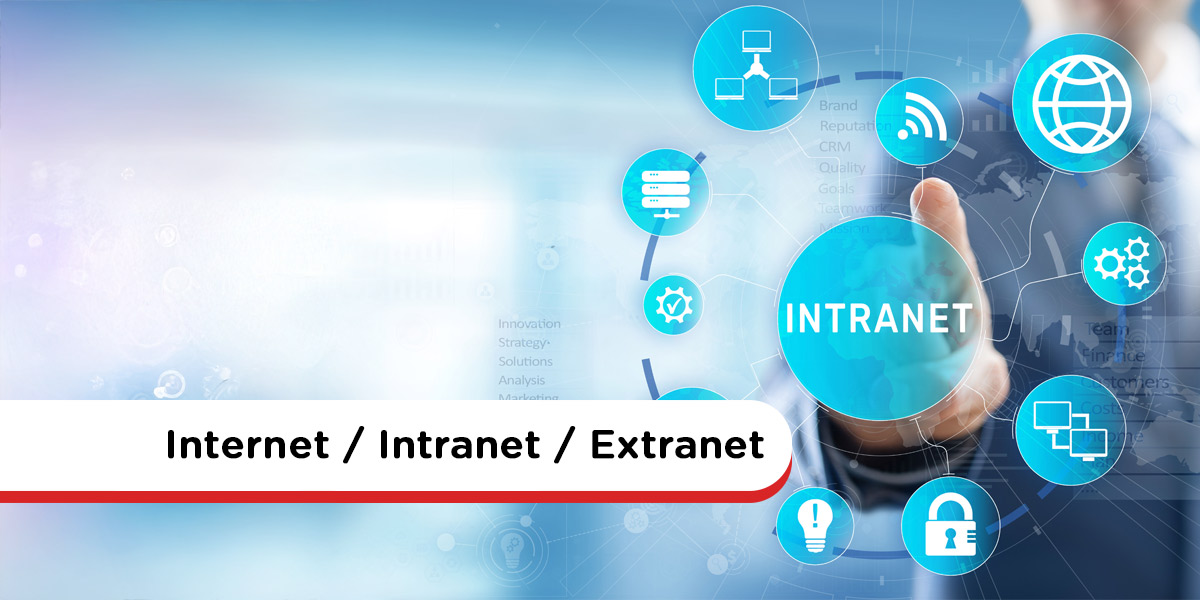
The Internet is an open, global network accessible to anyone, offering unlimited reach but minimal control—making it insecure for sensitive business operations. By contrast, an intranet is a private, internal network owned and managed by a company. Protected with firewalls and login credentials, it offers employees a secure place to communicate, collaborate, and share documents.

An extranet builds on the intranet by granting controlled access to external stakeholders—such as suppliers, partners, or franchisees—enabling collaboration without exposing the entire internal network. It balances openness with privacy, allowing secure sharing of relevant information beyond company walls.

While all three network types use standard web technologies (e.g. HTTP, IP protocols), their main distinctions lie in ownership, user access, and security. The Internet is unregulated and public, the intranet is internal and regulated, and the extranet is a selectively shared private network—each chosen based on organizational collaboration needs and security requirements.

read more
Marketing Intranet: 11 Ways To Get More For Your Marketing Buck

Marketing Intranet: 11 Ways To Get More For Your Marketing Buck

Marketing departments often face pressure to deliver results with limited resources. A marketing intranet helps maximize ROI by consolidating communication, collaboration, and resource sharing—all in one platform. It allows marketing teams to operate more efficiently, avoiding duplicate efforts and wasted time.

From planning new campaigns to launching products, a marketing intranet supports every stage. Collaborative workspaces enable smoother data gathering, integrated editing via Microsoft 365 or Google Workspace cuts down coordination lag, and homepage features like launch alerts ensure timely visibility. Centralized libraries for marketing collateral—such as templates, graphics, and case studies—with advanced search capabilities help teams self-serve what they need, reducing reliance on admins.

This platform also supports broader company alignment. CRM integration (e.g., Salesforce) delivers seamless access to customer data. Market research can be published enterprise-wide to inform strategic decisions in real time. Secure extranet access lets agencies, printers, or freelancers collaborate efficiently without compromising brand consistency. Internal blogs, campaign shoutouts, and real-time chat foster communication and recognition—reinforcing marketing’s visibility and influence.

read more
Franchise Intranet Software – The Social Intranet for Franchises

Franchise Intranet Software – The Social Intranet for Franchises

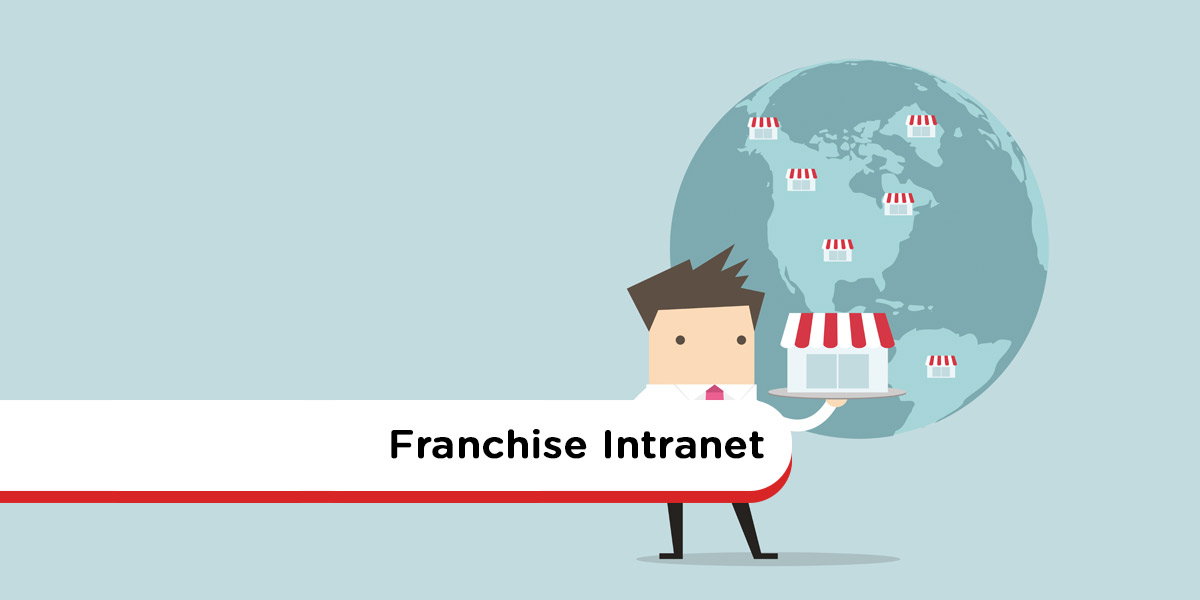
Franchise businesses face unique challenges due to their scale and distributed nature. With over 8.9 million workers contributing nearly $900 billion to the global economy, ensuring consistent communication, brand standards, and training across multiple locations is critical.

A franchise intranet serves as a secured online hub accessible only to franchisees and staff. It centralizes essential resources—like news, branding materials, onboarding modules, policy documents, discussion forums, and collaborative spaces—ensuring easy access and alignment across all sites.

Beyond centralization, these intranets enhance engagement through social features like news feeds and recognition programs. They also boost operational consistency via compliance tracking, read receipts, and automated workflows. The result? A scalable, efficient, and cohesive infrastructure that supports growth and performance across the entire franchise network.

read more
Intranet Site Map – Template & Tools

Intranet Site Map – Template & Tools

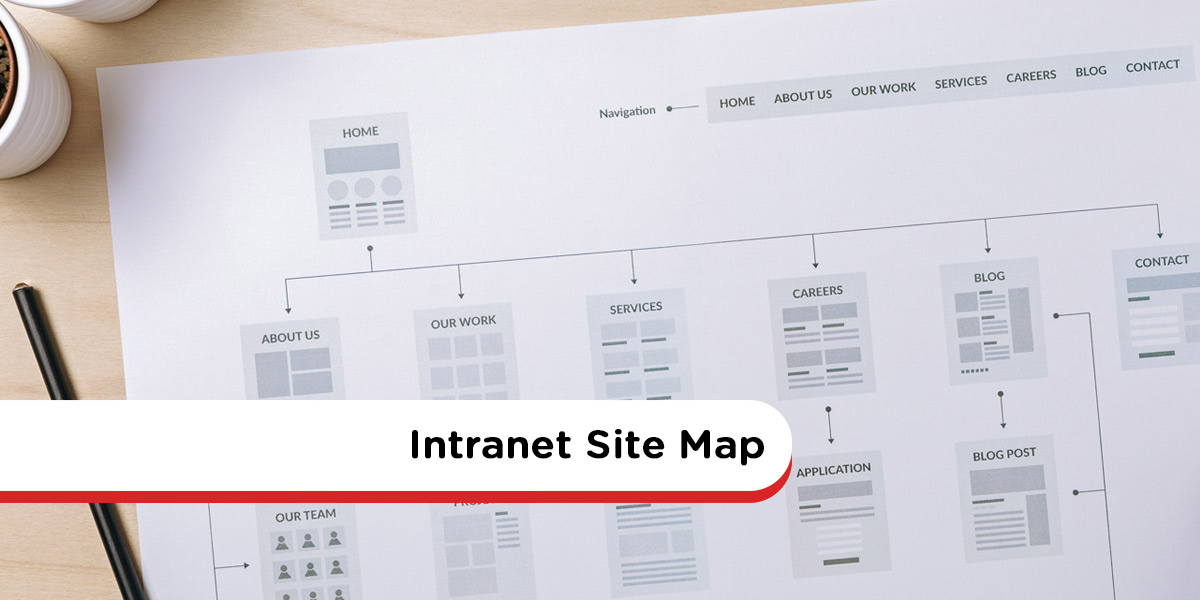
A well-designed intranet site map provides a visual blueprint of the intranet’s structure—clarifying how pages and tools connect. It streamlines navigation, highlights content overlap, and gives teams a clear framework for creating intuitive pathways throughout the digital workspace .

Developing your intranet architecture should involve cross‑department collaboration. Workshops with a steering group help establish logical content groupings—often using top-down (business categories) or bottom-up (task/user-based) approaches—to define parent and child page hierarchies. A tool like Gloomaps can simplify visual planning and capture stakeholder feedback effectively 

Best practices include limiting top-level navigation to fewer than ten clear categories, avoiding ambiguous labels like “Other”, and keeping names simple yet descriptive. Testing the proposed structure with real user tasks helps validate usability. As needs evolve, the site map should stay flexible, updated, and aligned with organizational changes .

read more
Intranet Definition: What Is An Intranet?

Intranet Definition: What Is An Intranet?

A modern intranet is essentially a secure, private internal website designed exclusively for employees or select partners. Historically used for basic document sharing, intranets have evolved into comprehensive digital workplaces that support collaboration, communication, and employee self-service. They empower distributed teams—on-site, hybrid, or remote—to work effectively from anywhere, on any device.

Today’s intranets serve multiple strategic roles: as a central hub for critical company information and policies; as a communications channel via news feeds, blogs, forums, and surveys; as a collaboration engine featuring shared project spaces, directories, instant messaging, and task tools; and as a knowledge manager that preserves institutional know-how through shared documents, discussion threads, and searchable content. Social features and employee profiles further reinforce culture and connection across dispersed teams.

When it comes to deployment, organizations typically choose between a do‑it‑yourself solution (built with WordPress, SharePoint, or similar) or a cloud-hosted, SaaS platform. While DIY systems offer flexibility, they often require heavy maintenance, inconsistent usability, and extra plugins. In contrast, modern intranet services deliver tried-and-tested templates, mobile-friendly design, role-based permissions, and integration with enterprise apps—all of which drive faster user adoption, reduce IT burden, and make the intranet a real everyday workplace tool.

read more
7 Jotform Alternatives To Consider

7 Jotform Alternatives To Consider

Jotform has long been a go‑to online form builder for many businesses, offering a drag-and-drop interface, conditional logic, e-signatures, and thousands of templates. However, common complaints include slow loading times, an outdated editor, and overwhelming template choices—pushing many organizations to explore alternatives.

To help decision-makers, MyHub lists seven compelling Jotform alternatives: forms.app, Zoho Forms, Google Forms, Microsoft Forms, ProProfs Survey Maker, SurveyMonkey, and its own intranet-powered form builder. Each option varies in ease-of-use, feature set, pricing, analytics, and integrations, making it easier to align tool choice with organizational needs and budgets.

MyHub’s form builder stands out by combining intuitive drag-and-drop form design with workflow automation—notifications, approval routing, conditional fields, and role-based permissions—all included at no extra cost within its intranet platform. With built-in integrations to Microsoft 365 and Google Workspace, mobile accessibility, and support tools, it offers a more holistic form solution suited for internal processes.

read more
15 New Intranet Launch Ideas

15 New Intranet Launch Ideas

Launching a new intranet isn’t simply a technical rollout—it requires a vibrant launch campaign to generate excitement and drive user adoption. This post from MyHub outlines 15 fresh, practical strategies that engage employees before, during, and after the launch. The emphasis is on people-focused tactics—not just features—to ensure the intranet becomes a part of daily workflow.

Before launch, efforts such as identifying intranet ambassadors, running teaser campaigns, and featuring a naming competition help build momentum. These pre-launch tactics appeal to emotional investment—exciting employees about what’s coming and how the intranet will improve their work lives. During launch day, strategies include live demos, Q&A sessions, training events, and gamified elements like badges and leaderboards to encourage engagement from day one.

Post-launch activities focus on sustaining momentum: onboarding guides, ice-breaker challenges, feedback surveys, recognition campaigns, and periodic “intranet champions” push messages. With the right mix of anticipation, engagement, and follow‑through, MyHub shows organizations can transform their new intranet from a tool into a thriving digital community.

read more
Intranet Security: How Secure Is Your Company Intranet?

Intranet Security: How Secure Is Your Company Intranet?

A company intranet may feel like a secure, private network, but it’s still vulnerable to both external and internal threats. Malware, phishing, and unauthorized access can infiltrate through neglect or outdated protection. Meanwhile, insider issues—like weak passwords, human error, and over-permissive access—cause around 82% of data breaches.

To help fortify your intranet, start with key security measures: a robust firewall, antivirus protection, and SSL encryption to protect data in transit. Additionally, enforce strong authentication through SSO, Multi-Factor Authentication (MFA), and directory protocols like LDAP. Regular patching and updating of software close known vulnerabilities.

Successful intranet security requires an ongoing, multi-layered strategy. Limit and review user access based on roles, promptly revoke access during offboarding, and monitor connectivity—especially on personal devices. Incorporate security awareness training and simulated phishing exercises to empower employees against threats. Engage trusted hosted intranet providers who offer automatic updates, backups, and professional oversight.

read more
How To Make Great Intranet Homepages: Best Practice Tips

How To Make Great Intranet Homepages: Best Practice Tips

The intranet homepage serves as the gateway to your digital workplace—it’s the first thing staff see upon login and sets the tone for their day. A well-designed homepage should showcase core apps, tools, and content in a clear, visually engaging manner to encourage ongoing use. Conversely, a cluttered or uninspiring homepage can kill adoption and user engagement.

Key design principles include simplicity, consistency, intuitive navigation, and inspiriational visual design. Simplicity demands clean layouts to help staff find what they need swiftly, while consistent design across pages enhances familiarity and usability. Prominent search bars, mega menus, and categorized widgets guide users seamlessly to important tools and knowledge.

Finally, your homepage should reflect your purpose and brand. Whether your focus is internal comms, collaboration, or processes, tailor content accordingly. Engage employees with a strong visual identity, media-rich elements like staff photos or videos, and ensure mobile responsiveness so hybrid and remote workers stay connected and productive on the go.

read more
Microsoft Forms: Your Questions Answered

Microsoft Forms: Your Questions Answered

Microsoft Forms is a versatile, browser-based tool included in most Microsoft 365 subscriptions, enabling users to build surveys, quizzes, polls, registration forms, and more without coding. Popular use cases include employee feedback surveys, L&D assessments, incident reports, and new-hire questionnaires—all accessible on desktop or mobile.

Users benefit from prebuilt templates and branching logic, allowing conditional flows based on responses. With support for multiple question types—multiple-choice, rating scales, Likert, dates—and automatic saving of draft forms, creation is intuitive. Microsoft Forms also provides built-in analytics and the ability to export response data to Excel for deeper analysis.

For organizations seeking more than surveys, intranet-based digital forms (like those offered by MyHub) offer advanced workflow tools: drag-and-drop builders, approval routing, self-updating cloud storage, notifications, permission controls, and integration with chat channels . These tools streamline processes like vacation requests or purchase orders, reducing paperwork and reinforcing green initiatives.

read more
Website For Employees: Top 17 Essential Features

Website For Employees: Top 17 Essential Features

A modern website for employees, often called an intranet, serves as a centralized hub to streamline communication, collaboration, and connection for team members—both in-office and remote. MyHub’s blog outlines 17 essential features, beginning with team & company-wide newsfeeds, business instant messaging, and staff profiles that humanize coworkers and strengthen engagement. These tools make finding updates and colleagues faster and more intuitive, replacing cluttered emails and shared drives.

Beyond communication, the intranet becomes a powerful productivity engine. It combines a centralized information hub with smart search, automated requests and approvals, project workspaces, and knowledge management tools like forums, wikis, surveys, and quizzes. This consolidation reduces wasted time, ensures employees can quickly access SOPs, policies, training content, and collaboration spaces without hopping between apps.

Employee experience is further enriched through onboarding support, learning & development portals, employee recognition, and fun social features. An intranet that includes mobile-first design, enterprise app integration, and gamification elements—like shout-outs and contests—boosts adoption and culture. MyHub emphasizes that unless a staff website is built around employee needs, it likely won’t engage users—which is why those 17 features are mission-critical .

read more
WordPress Intranet: 7 Of The Biggest Challenges

WordPress Intranet: 7 Of The Biggest Challenges

WordPress can be used as a company intranet—either hosted locally or online—with themes like Woffice and plugins for access control, knowledge bases, social interaction, and project management. Yet, although it’s widely used (43 %+ of web platforms run on WordPress), it wasn’t designed as an intranet, and adapting it for internal use brings unique challenges .

One core challenge is deciding between building vs buying: a DIY WordPress intranet demands technical know-how, server space, and ongoing maintenance, while off-the-shelf plugins/themes may deliver limited capabilities and may become obsolete . You’ll also need a carefully chosen combination of intranet plugins—BuddyPress, knowledge base tools, project managers, Google Drive embedders, access restrictions—and a theme that supports intranet design.

Finally, usability and support significantly affect adoption. While WordPress offers “5-minute installs” and user-friendly basics, building an intranet adds complexity. Many users find it more taxing than expected, especially without IT expertise, and ultimately pivot to purpose-built platforms for ease and long-term scalability.

read more
Employee Directory Software: The Intranet Solution

Employee Directory Software: The Intranet Solution

The blog highlights that while standalone employee directory tools are prevalent, an intranet solution—like MyHub—offers a superior, all-in-one experience. Beyond basic contact lists, an integrated directory features rich profiles, photos, biographies, expertise tags, and project highlights. This makes discovering and connecting with colleagues intuitive and engaging.

A modern integrated directory fosters better working relationships and employee engagement by breaking down organizational silos. Customizable profiles empower employees to showcase skills and contributions, making interdepartmental collaboration smoother. It also humanizes teams, easing onboarding and reducing communication friction—no more forgotten names or awkward intros.

Additionally, network-enabled directories help reinforce company culture. They give employees a sense of identity and belonging by illustrating how each individual fits into the larger mission. Easy-to-use features—such as self-updating profiles and straightforward search—ensure adoption remains high, keeping the directory current and relevant.

read more
Internal Website: Uses, Features And Setup

Internal Website: Uses, Features And Setup

A modern internal website—also known as an intranet—is a secure, employee-only platform that centralizes everything staff need: company news, documents, tools, and applications. Unlike external sites, intranets often suffer from outdated content and poor navigation, yet play a pivotal role in internal communications, information sharing, and teamwork

This guide outlines how intranets enhance information management, featuring integrated search, cloud document libraries, and a central hub to streamline access and eliminate inefficient shared drives. It also improves internal communication via interactive news feeds, blogs, and surveys—especially crucial for hybrid or remote workforces . Beyond communication, intranets support collaboration and automated workflows, enabling real-time document co-editing, team forums, and form-based process automation for tasks like leave requests, approvals, and reporting .

To roll out an effective internal website, the blog recommends evaluating three build options—DIY, off-the-shelf tools, or cloud-based intranet software. It emphasizes essential features: intuitive setup, mobile responsiveness, high usability, cost effectiveness, and ready-to-go deployment. Templated cloud intranets stand out for quick deployment, mobile optimization, single sign-on, and user familiarity

read more
Intranet Development: Making Life Easier For An Intranet Developer

Intranet Development: Making Life Easier For An Intranet Developer

The blog emphasizes the transformative benefits of cloud-hosted intranet development over traditional or bespoke systems. By leveraging managed platforms like MyHub, organizations eliminate the complexity of server setup and maintenance, enabling teams to focus on creating impactful user experiences and branded intranet sites.

MyHub brings over 20 years of experience to the table, offering a streamlined development lifecycle that includes planning, design, launch, training, and ongoing support. Their proven process allows for fully branded intranet solutions in under 40 days—dramatically reducing time-to-launch and accelerating business value for agencies and internal IT departments.

Security is treated as a first-class priority: from SOC 2-compliant AWS hosting and SSL encryption to firewall protection and granular access controls. Compared to platforms like SharePoint, which often require patchwork integrations and complex customization, MyHub delivers core functionality right out of the box—enhancing usability, minimizing costs, and maximizing return on investment.

read more